
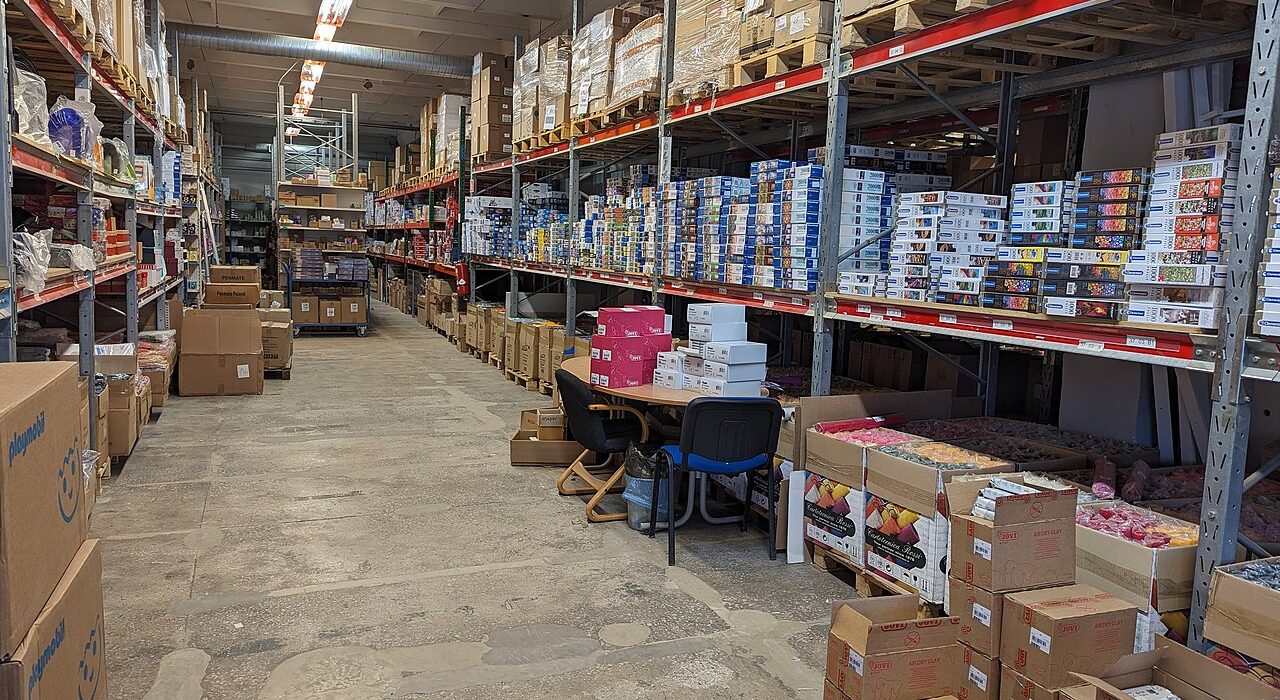
Inventory is usually the largest place a small online store’s cash sits, and it is easy to get wrong. Order too little and you disappoint customers with “out of stock” messages. Order too much and your money ends up as boxes gathering dust. This guide walks through a practical inventory management system for small online stores: how to organise stock, which numbers to watch, when to reorder and which routines prevent costly surprises.
Key takeaways
- Give every product and variant its own SKU and keep one source of truth for stock across all your sales channels.
- Use a simple reorder point formula (average daily sales × lead time + safety stock) so you reorder before you run out, not after.
- Not all products deserve equal attention. Use ABC analysis to focus on the items that drive most of your revenue.
- Returns and COD refusals are stock movements too. Inspect and restock them quickly so your numbers stay accurate.
- A short weekly routine of counts, reconciliation and slow-mover review prevents most inventory problems.
Why inventory management matters for small stores
Large retailers have dedicated planners. Small store owners often manage stock from memory, a notebook or a spreadsheet updated “when there’s time”. That works at ten orders a week. It breaks down quickly as you grow, and the problems are expensive:
- Overselling. A customer orders an item you no longer have. You cancel, apologise and probably lose them for good.
- Stockouts on best-sellers. Your most popular product runs out just as an ad campaign or Eid rush peaks, and you pay for traffic you can’t convert.
- Dead stock. Slow-moving items tie up cash you could have spent on products that sell, and often end up sold at a loss.
- Shrinkage and errors. Damaged, lost or miscounted items quietly erode your margins.
Good inventory management isn’t about complex software. It means knowing what you have, where it is, how fast it sells and when to order more.
Build a clean foundation: SKUs, variants and locations
Give every sellable item a SKU
A SKU (stock keeping unit) is your internal code for one specific sellable item. Every combination of size and colour is its own SKU, because each one runs out separately. Keep the format short, consistent and readable:
| Product | Variant | Example SKU | Format logic |
|---|---|---|---|
| Embroidered lawn kurta | Maroon, Medium | KUR-LAWN-MRN-M | Category, line, colour, size |
| Cold-pressed coconut oil | 250 ml | OIL-COCO-250 | Category, product, size |
| Leather wallet | Brown, bifold | WAL-LTH-BRN-BF | Category, material, colour, style |
Avoid spaces and special characters, never reuse a retired SKU for a different product, and print SKUs or barcodes on shelf labels so picking is quick and accurate.
Record where stock lives
Even in a single room, label shelves or bins (for example A1, A2, B1) and note each SKU’s location. If you hold stock in more than one place, such as a shop, a home store room or a warehouse, track quantities per location so online orders only draw on stock you can actually ship.
Do an accurate opening count
Before relying on any system, count everything once, carefully, and enter it. Every number afterwards depends on this starting point being right.
The inventory numbers worth tracking
You don’t need dozens of reports. These metrics cover most decisions a small store makes:
| Metric | How to calculate it | Why it matters |
|---|---|---|
| Available stock | Stock on hand − stock committed to unshipped orders | What you can safely sell right now |
| Average daily sales | Units sold in the last 30 days ÷ 30 | The basis for reorder decisions |
| Days of stock remaining | Available stock ÷ average daily sales | How long until you run out |
| Sell-through rate | Units sold ÷ units received in a period × 100 | How well a new collection or batch is selling |
| Inventory turnover | Cost of goods sold ÷ average inventory value | How efficiently your stock turns into sales |
| Stockout days | Days a SKU showed zero available stock | Sales you likely missed |
| Aged stock | Units with no sale in 60 or 90+ days | Cash at risk of becoming dead stock |
When to reorder: reorder points and safety stock
The most useful inventory formula for a small store is the reorder point: the stock level at which you place a new order so it arrives before you run out.
Reorder point = (average daily sales × average lead time in days) + safety stock
Lead time is the number of days between placing an order with your supplier and having the stock ready to sell, including production, transport and checking it in. Safety stock is a buffer for days when sales spike or the supplier is late.
A simple way to estimate safety stock
Safety stock = (maximum daily sales × maximum lead time) − (average daily sales × average lead time)
Worked example
Say your best-selling kurta sells an average of 6 units a day and up to 9 on busy days. Your stitching unit usually delivers in 10 days, but sometimes takes 13.
- Average demand during lead time: 6 × 10 = 60 units
- Worst-case demand during lead time: 9 × 13 = 117 units
- Safety stock: 117 − 60 = 57 units
- Reorder point: 60 + 57 = 117 units
When available stock for that SKU drops to 117, place the next order. Revisit the numbers monthly and before peak seasons, because both demand and lead times change.
Plan for peaks early: Demand around Ramadan and Eid, wedding season, back-to-school and big online sale days can be several times your normal rate, and suppliers get busy at the same time. Use last year’s sales for those weeks, not your monthly average, and place orders well before the usual lead time.
Prioritise with ABC analysis
In most stores, a small group of products brings in a large share of revenue. ABC analysis helps you spend your attention and cash where they matter most.
- List all SKUs with their revenue over the last 3 to 6 months.
- Sort from highest to lowest revenue.
- Mark the top items that together make up roughly 70 to 80% of revenue as A, the next band as B, and the long tail as C.
| Class | Typical profile | How to manage it |
|---|---|---|
| A | Few SKUs, most of your revenue | Count often, keep healthy safety stock, never let them run out, negotiate supplier priority |
| B | Moderate sellers | Review reorder points monthly, keep modest buffers |
| C | Many SKUs, small share of revenue | Order in small batches, consider made-to-order or pre-order, discontinue persistent slow movers |
Selling on several channels without overselling
Many small businesses sell through a website, a physical shop, Instagram or WhatsApp orders, and sometimes a marketplace, all at once. Overselling usually happens because each channel works from its own stock count.
- Keep one source of truth. All channels should deduct from the same inventory record in real time, or as close to it as possible.
- Reserve stock when an order is placed, not when it ships, so two customers can’t buy the last unit.
- Enter social media and WhatsApp orders into the same system immediately, instead of keeping them in chat history.
- Use a POS that shares inventory with your online store if you also sell in person. See how a POS system unifies online and in-store sales.
- Consider a small channel buffer for marketplaces with slower syncing, for example showing 2 fewer units than you have.
Returns, refusals and damaged stock
For stores offering cash on delivery, refused parcels are a regular stock movement. A parcel that is “on its way back” is not sellable yet, but it shouldn’t be forgotten either. Set up a clear process:
- Mark the order as returned or refused in your system as soon as the courier reports it.
- Check returned items on arrival for damage, missing tags or tampered seals.
- Restock sellable items to available inventory the same day.
- Move damaged items to a separate “damaged” or “B-grade” location, not back into sellable stock.
- Record the reason for each return or refusal so you can spot product or sizing problems.
Lowering refusals protects your inventory as well as your margins. Our guide to COD vs card payments in Pakistan covers practical ways to do that.
Physical stock routines that prevent errors
Receiving
- Check each delivery against the purchase order: right SKUs, quantities and quality.
- Record shortages or defects with the supplier before accepting the full invoice.
- Update the system before putting stock on shelves, so it’s sellable straight away.
Storage and picking
- Use FIFO (first in, first out) for most goods, and FEFO (first expired, first out) for food, cosmetics and anything with a shelf life.
- Keep fast-moving A items closest to your packing area.
- Pick using the SKU and location on the order, not memory or appearance, especially for similar-looking variants.
Cycle counting
Instead of one exhausting full stock-take a year, count a few SKUs every week: A items every week or two, B items monthly and C items quarterly. Investigate any difference between the system and the shelf right away. The cause is usually a missed return, an unrecorded sample or a picking mistake.
Spreadsheet or inventory system?
| Factor | Spreadsheet | Inventory built into your store platform |
|---|---|---|
| Cost | Free | Included in your platform plan |
| Stock updates when an order is placed | Manual | Automatic |
| Risk of overselling | High once orders grow | Low, because availability updates in real time |
| Multiple channels | Hard to keep in sync | One record across online store and POS |
| Reports | Built by hand | Sales and stock reports ready to use |
| Best for | A handful of products and low order volumes | Growing catalogues, variants and more than one sales channel |
Your weekly and monthly inventory routine
- Weekly: Review SKUs at or below their reorder point and place orders.
- Weekly: Process all returns and refusals, and restock or quarantine items.
- Weekly: Cycle-count a set of A items and fix any discrepancies.
- Monthly: Update average daily sales and lead times, and recalculate reorder points.
- Monthly: Review aged stock and plan bundles, promotions or clearance for slow movers.
- Quarterly: Re-run ABC analysis and count B and C items.
- Before peak seasons: Forecast from last year’s peak weeks and confirm supplier capacity early.
How Baselyne helps
Inventory and stock management is built into every Baselyne store. You can list unlimited products with variations that each have their own price, and track stock levels in the same dashboard where you manage orders. If you also sell in a shop, one POS across all your sales channels keeps online and in-store inventory in a single record. A Baselyne POS Setup service is available to get you running. Reports and customer profiles with purchase history help you see what sells, to whom and how fast.
Explore the details on the features page, compare plans on the pricing page, or start a 14-day free trial and load your own catalogue to see how it works.
Frequently asked questions
What is the simplest way to start managing inventory for a small online store?
Give every product variant a SKU, do one accurate stock count, and use a store platform that deducts stock automatically when orders are placed. Then set a reorder point for your best-sellers and review it monthly.
How much safety stock should I keep?
Enough to cover the gap between normal and worst-case demand during your supplier’s lead time. A simple estimate is maximum daily sales times maximum lead time, minus average daily sales times average lead time. Keep larger buffers for best-sellers and smaller ones for slow movers.
How do I stop overselling when I sell on Instagram and my website?
Use one inventory record for every channel. Enter Instagram and WhatsApp orders into the same system as website orders straight away, and reserve stock when the order is placed rather than when it ships.
What should I do with dead stock?
Act early. Bundle slow movers with best-sellers, offer them as gifts with larger orders, run a targeted clearance or sell to a wholesaler. Then use the lesson to order smaller test batches of similar products in the future.
How often should I count my stock?
Use cycle counting instead of one big annual count. Check fast-selling items every week or two, moderate sellers monthly and slow movers quarterly, and investigate any mismatch immediately.